Having App Trouble? Let’s Get You Sorted!
We’ve updated our system to give you a better experience, but we know technology can sometimes be a bit stubborn. If things aren't working quite right, find your issue below and we’ll get you back to earning rewards in no time.
1. Update Your App
First things first: make sure you’re running the latest version of the Bloom Rewards app. If your app isn’t updating automatically, just tap the link for your phone below and hit Update:
iPhone/Apple: Download on the App Store
Android: Get it on Google Play
2. Signing In (New System, New Login!)
The new app uses a different login than our old system. Even if you’ve been a loyalty member for years, you’ll need to activate your new Bloom account to see your points.
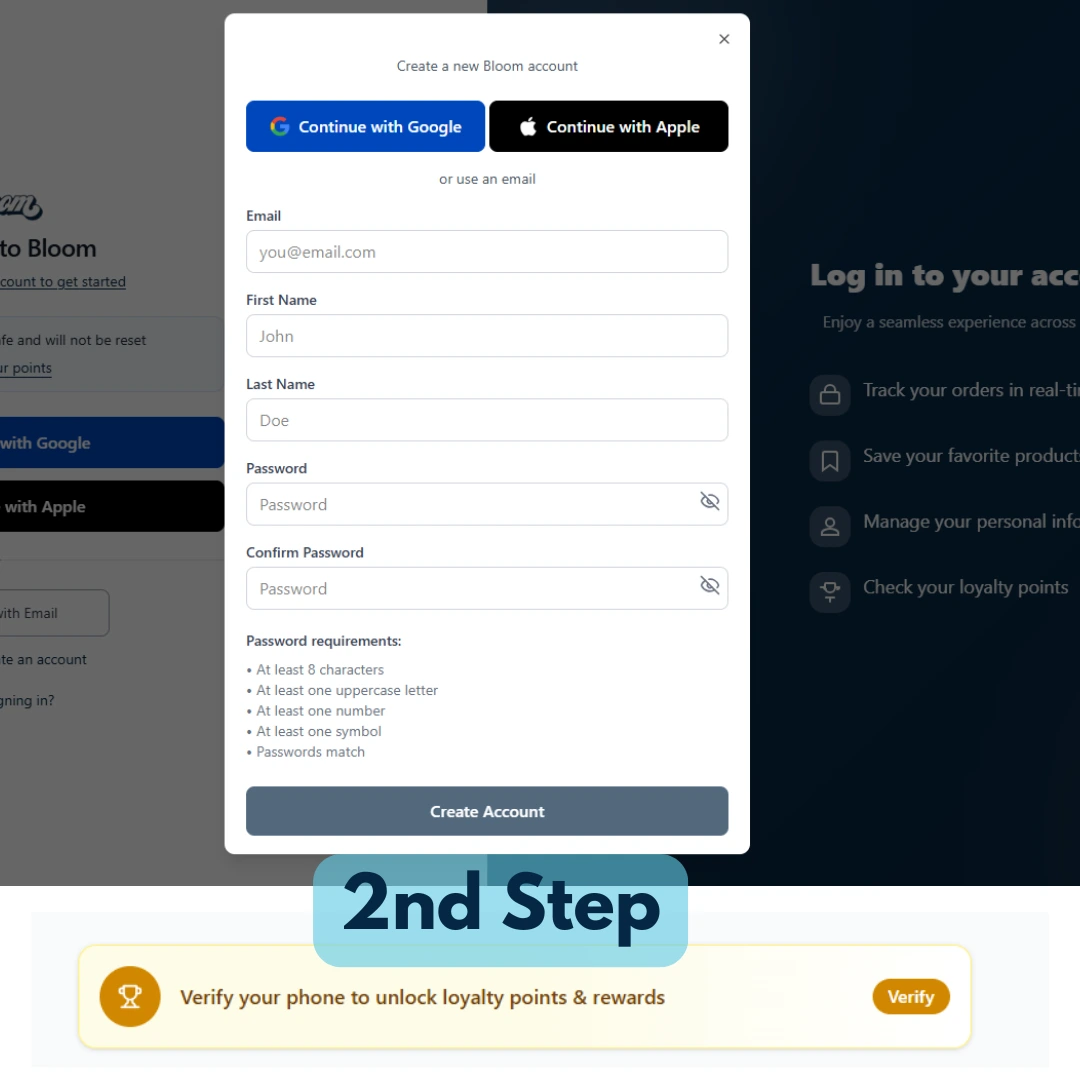
Step 1: Create or activate your account via the app or at BloomMarijuana.com.
Step 2: Follow the prompts to verify your phone number.
Step 3: Enter the 6-digit code we text to you.
Success! This automatically syncs your points over to your new account.
Don’t see the text code? Your phone’s spam filter might be blocking us! Click here to see how to check your SMS spam folder.
3. Trouble Signing Up? (The "iHeartJane" Fix)
If the app won't let you create an account, it usually means our system needs a quick "handshake" with our partner, iHeartJane. Here is a quick workaround:
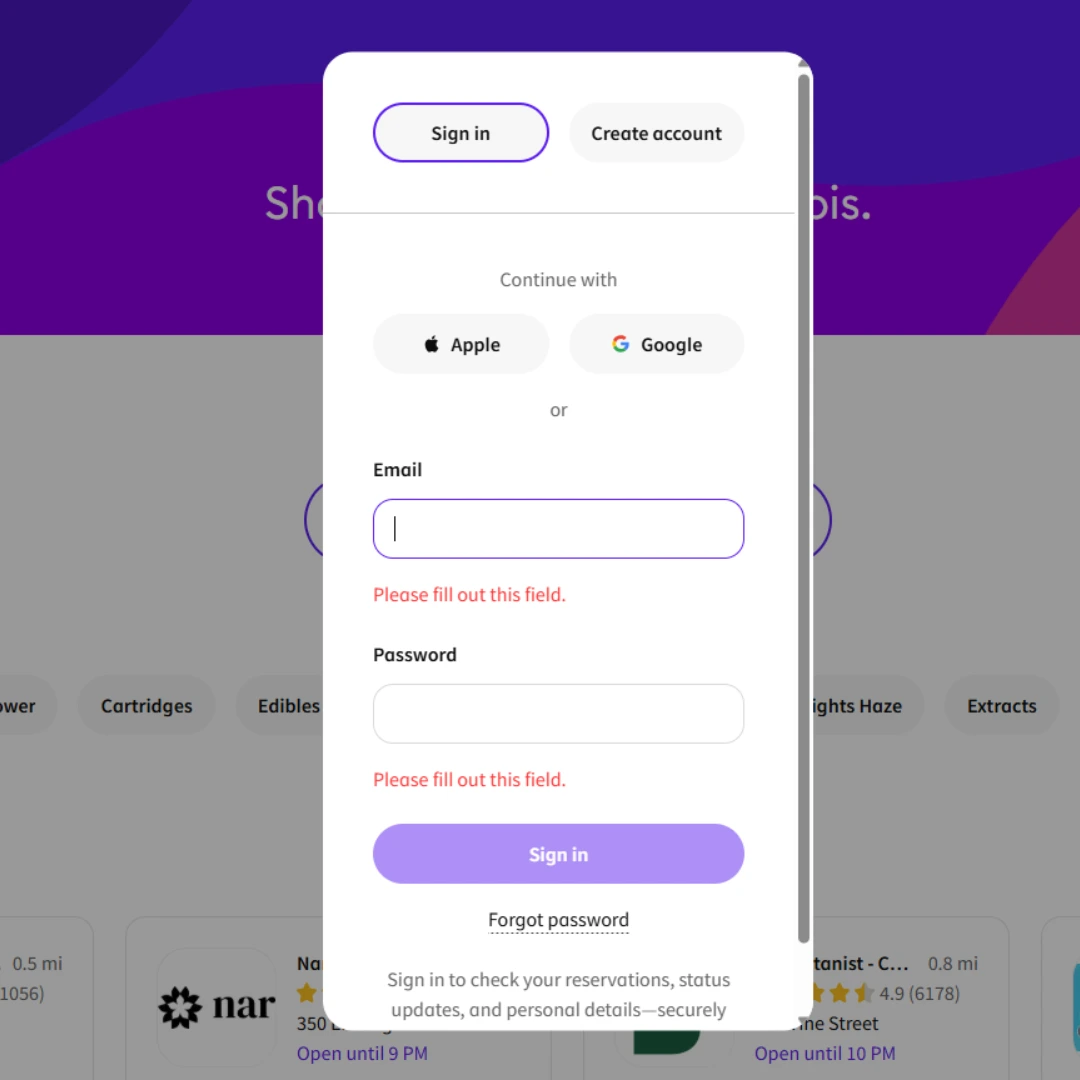
Go to iHeartJane.com and click Sign In (top right).
Click Forgot Password and follow the instructions in your email to reset it.
Once you’ve successfully logged into iHeartJane, go back to the Bloom App and use those same login details. You’re all set!
4. Helpful Tips & Contact Info
One Account Per Person: Our system requires a unique email and phone number for every customer. If you share a number with a family member, it may cause a glitch. If you need help "un-linking" a shared number, give us a shout!
Give Us a Ring: Still stuck? Call us at 614-612-1240. If we miss you, please leave your name, number, and a quick mention that you're having "loyalty account trouble"—we’ll call you back to fix it manually!
Email Support: For point discrepancies or specific account questions, reach out to app@bloommedicinals.com.